 flutterware
Changes
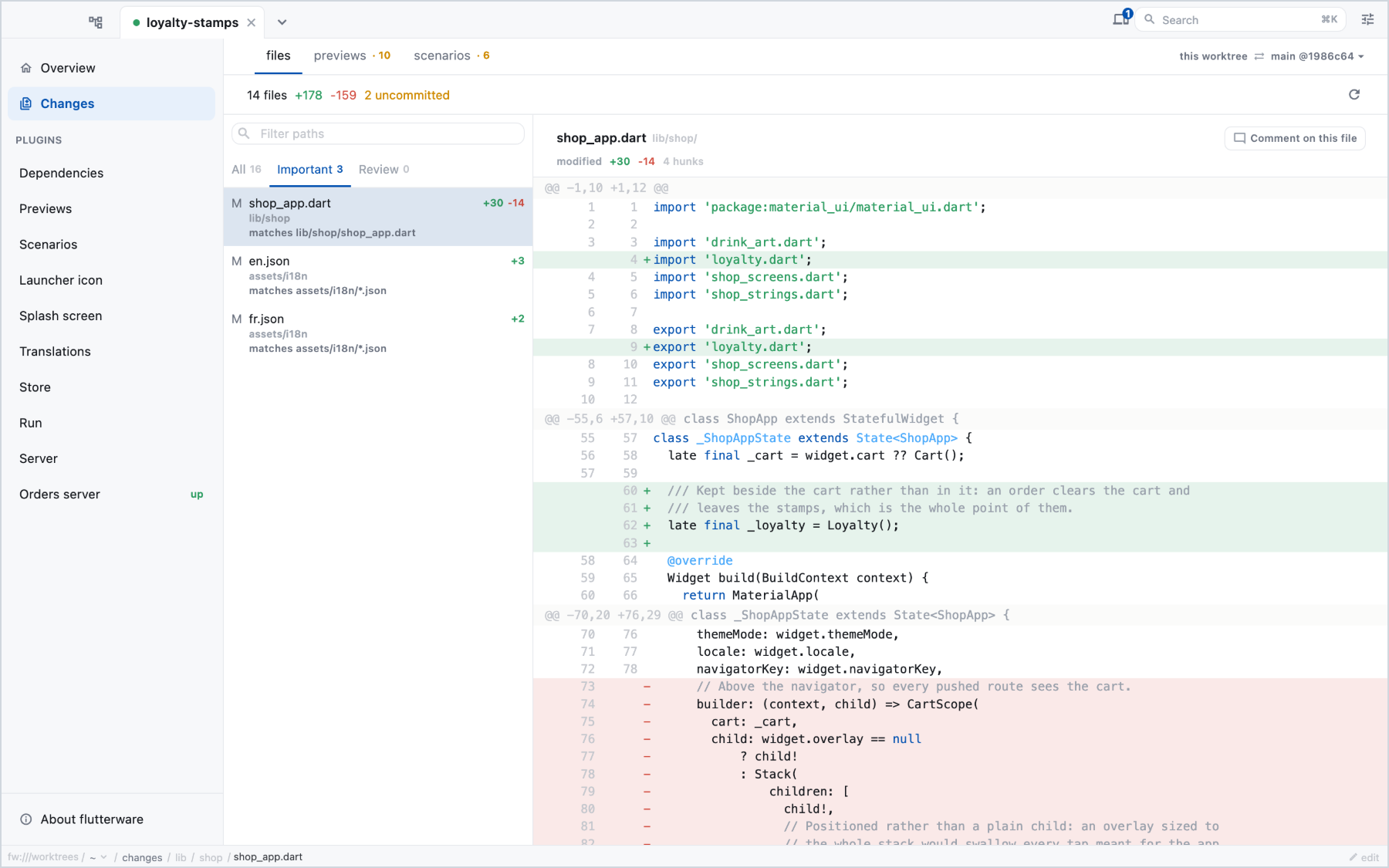
What your branch changed, file by file, with the files that matter to your project listed first. It's the studio's home for reviewing work before a pull request, including work an agent did.
Turn it on#
The Changes screen is always there. What you can add is the list of files to look at first:
// tool/flutterware.dart
fw.changes(
  ChangesConfig(
    attention: [
      'tool/flutterware.dart',
      'lib/*.dart',
      'pubspec.yaml',
      '.github/workflows/**',
      'CLAUDE.md',
    ],
  ),
);
The patterns follow .gitignore rules. Every file they match goes to the
Important tab, labelled with the pattern that put it there. There's no
built-in list, because only you know what matters in your repository.
Set base: if the branch to compare against isn't origin/HEAD, main or
master.
In the studio#
The screen compares your checkout with its base: committed changes, staged and unstaged edits, and new files, all as one set. Pick a file to see its diff. New files show their content, and changed images show both versions.
When fw compare has run, the screens your branch changed appear here too.
See Comparison.
Notes for an agent#
While an agent works in your checkout, you can leave a note on any line of the
diff. The agent reads outstanding notes with flutterware_review over MCP,
does what they ask (or explains why not), and marks them resolved. Its answer
shows beside your note. flutterware_status tells the agent how many are
waiting, so it knows when to look.
From the command line:
fw changes                      # what this checkout changed, ranked
fw review                       # the outstanding notes
fw review resolve <id> --message='Done: renamed the field'Reference#
The fw commands and
flutterware_review in the
capabilities reference.