 flutterware
Comparison
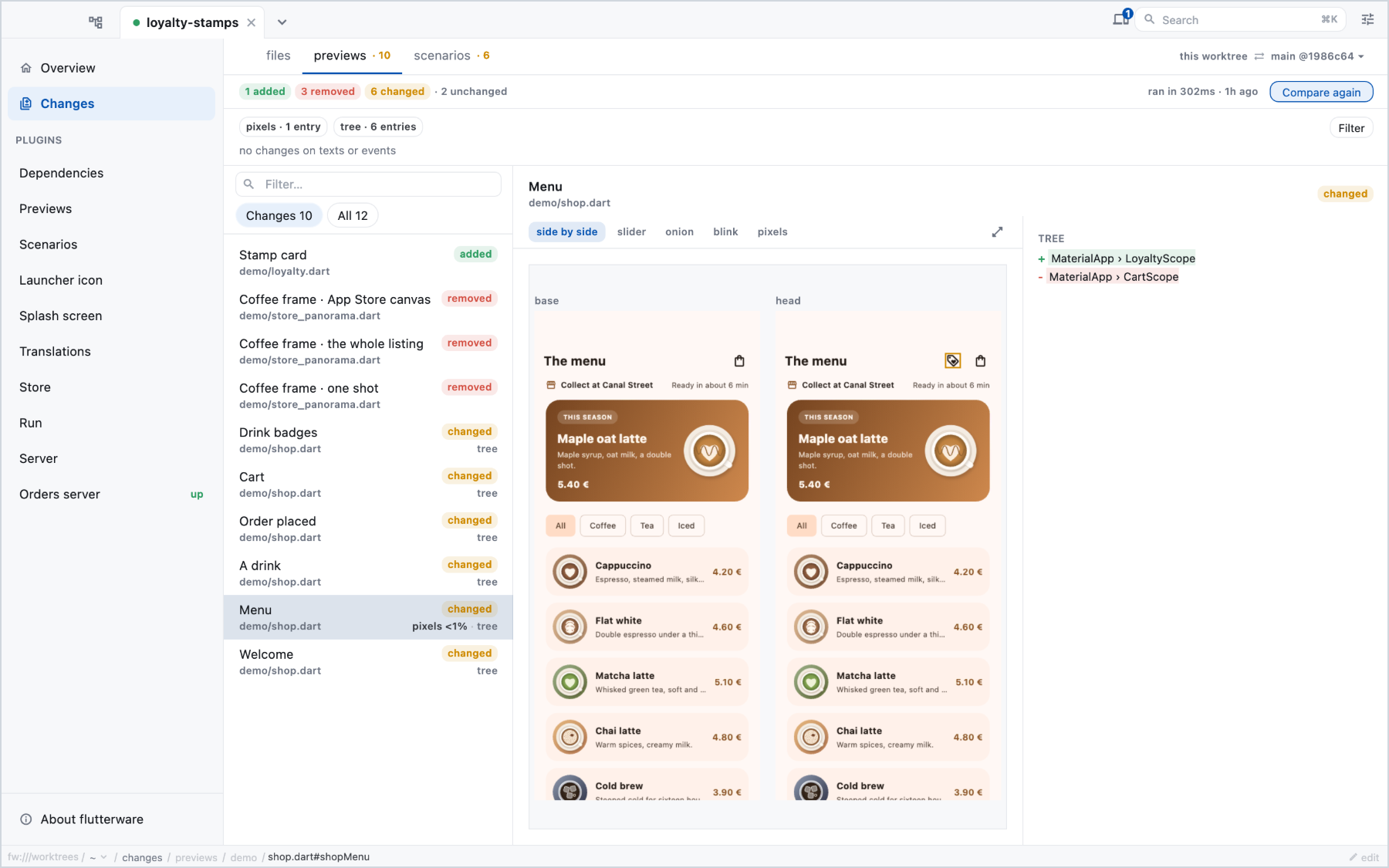
See what a branch changed on screen before you merge it. fw compare renders
your previews and replays your scenarios on
both your branch and its base, then reports every screen that moved: the
pixels, the widget tree, the visible text and the events the app recorded.
There are no golden files to keep up to date and nothing to approve. Both sides are built from git when you ask, so the base is always the real base.
Run it#
fw compare                         # against the default base
fw compare --base=origin/release   # against any ref git can name
fw compare --entry='demo/shop.dart#shopMenu'
The base is the one set in tool/flutterware.dart
(fw.changes(ChangesConfig(base: …))), or else origin/HEAD, main or
master, whichever exists first.
Entries whose code the branch didn't touch are skipped without being rendered, so a branch that changed no widget code finishes almost at once.
The result lands in an index.json (its path is printed last) and on the
Changes screen of the studio, beside the diff. Each changed screen shows
both sides and what differs between them.
On a pull request#
fw compare --export                          # a browsable page, in build/comparison/web
fw compare --report=build/comparison-report  # what a PR comment needs
--export writes a static page (a viewer, the index.json and one PNG per
frame) that works from any web host, including a per-PR folder. Serve it over
HTTP; opened as a local file it can't load its own frames.
--report writes a comment.md and a mosaic.png of the changed screens,
with the exported page under web/. The comment uses __MOSAIC_URL__ and
__VIEWER_URL__ placeholders, for your workflow to replace once it has
uploaded the files.
In CI#
fw compare exits 1 only when a side produced no answer at all, for example
when the base doesn't build. Changed screens don't fail it: a branch is
supposed to change things. To gate on changes, read index.json;
package:flutterware/comparison_report.dart reads it, typed.
Reference#
fw help compare, and the fw commands in the capabilities
reference.