 flutterware
Native splash
What each platform will show while your app starts, if you use
flutter_native_splash.
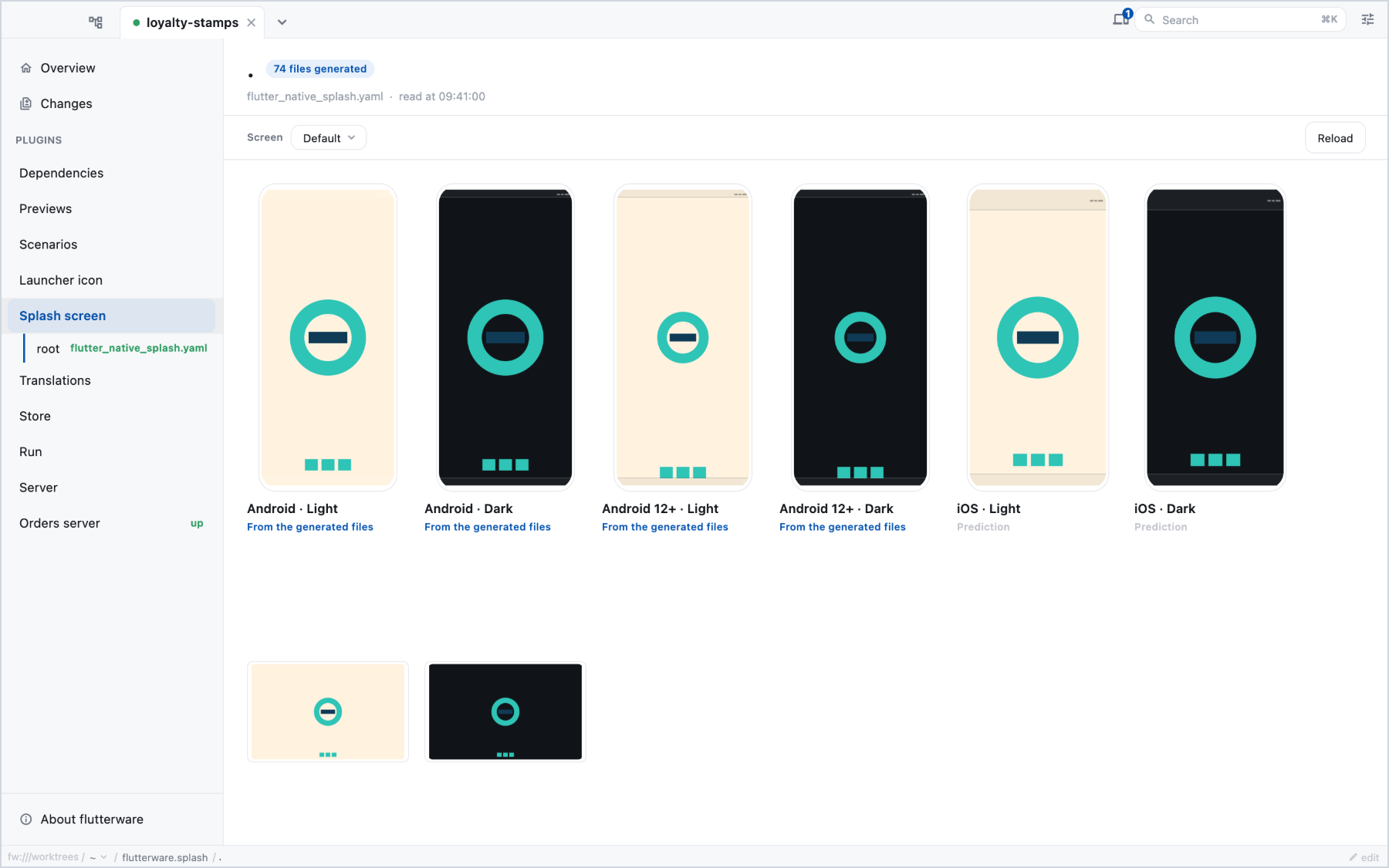
The same config produces different results on Android, Android 12 and later,
iOS and the web, in light and in dark mode, and this tool shows all of them
side by side.
Turn it on#
// tool/flutterware.dart
fw.use(NativeSplash(packages: [.new(app)]));
It reads the config wherever flutter_native_splash does: a
flutter_native_splash.yaml beside your pubspec, or a
flutter_native_splash: section inside it. Each flavor's
flutter_native_splash-<flavor>.yaml can be picked too.
In the studio#
A grid with one cell per platform and theme. Each cell draws the splash as that platform will: the background colour, and the image and where it lands. Pick a cell to see every value it uses and the config key each one came from, which is how you find out why Android 12 ignores the image you set for everything else.
Problems are listed with the cell they affect, like a dark theme that resolves nothing and falls back to the light splash.
Predicted, then real#
Until the generator has run, what you see is worked out from the config. After
it runs, the panel reads the files it wrote under android/, ios/ and web/
instead, and says so. When the config has changed since, the panel marks the
files as stale.
fw run splash generate                        # runs flutter_native_splash:create
fw run splash describe --surface=android12 --theme=dark
fw run splash artifacts                       # the generated files, as they are on disk
generate uses the flutter_native_splash version your project pins.